Transport Fever 2 - Distance Meter
Use
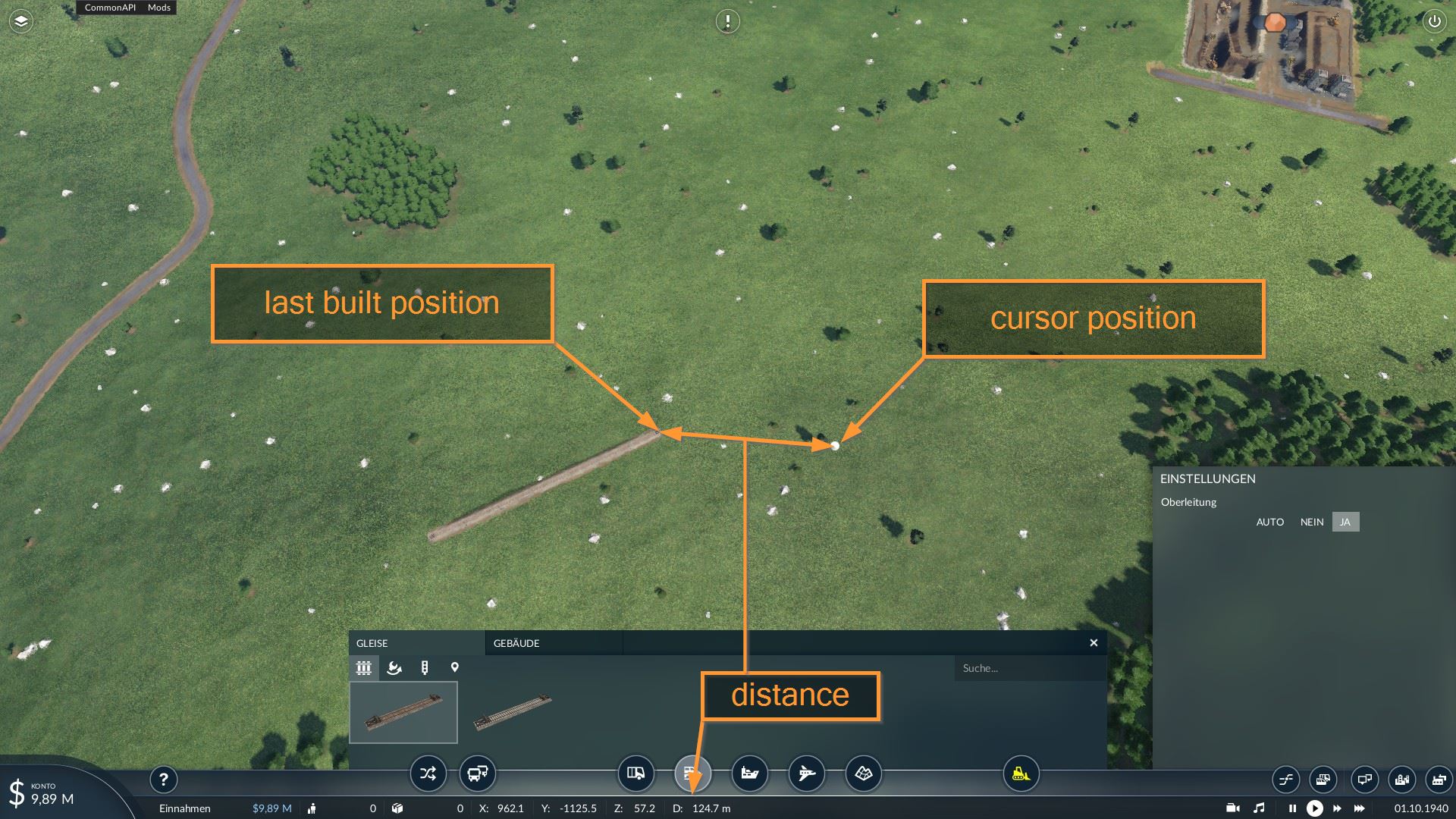
As soon as you have built something, the distance to your last work is shown in the status bar. It works as far as I know for everything:
Assets
Stations
Depots
Bus stops
Tracks
Signals
Streets
Waypoints
Stops
Attention:
For roads and tracks, the node closest to the mouse position at the time of construction is used. Unfortunately I can’t do it any better, because building crossings etc. creates an inscrutable amount of new nodes and I don’t know which was the last one.
For signals, waypoints and stops the cursor position is simply used. You don’t get any clues in the script where exactly the thing was placed.
So…
Keep these restrictions in mind
Hold the mouse still for a short time until the street etc. is really visible. You will get a feeling for it very quickly.
Authors: cpu | skully
 Uploaded by