Plane Sound Plugin - Aircraft Sounds
Download Plane Sound Plugin - Aircraft Sounds mod for ETS2 1.62.
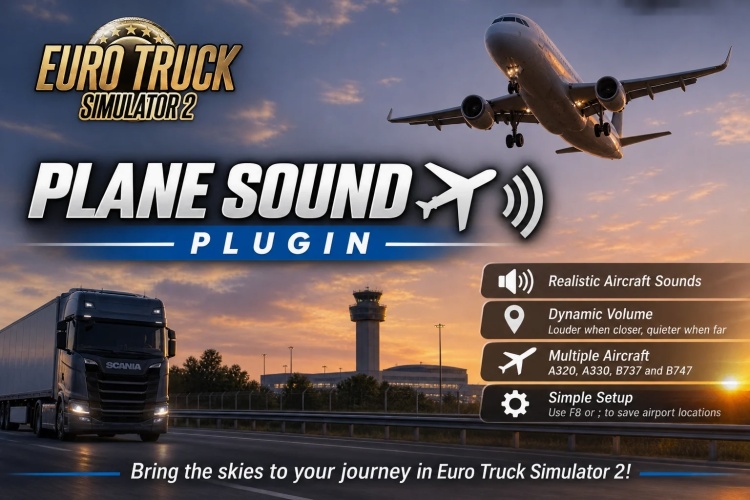
I made this plugin to bring a bit more life to the skies in ETS2. It adds aircraft sounds while you’re driving around, especially near airports, making the game feel a bit more realistic.
You can mark your own airport locations in-game by pressing ; (semicolon). Once you’ve saved a location, the plugin will play plane sounds at random intervals when you’re nearby.
The volume changes depending on how far you are from the marked location, so the sounds get louder when you’re closer and quieter as you move further away.
There are currently sounds for the Airbus A320, Airbus A330, Boeing 737 and Boeing 747, including a custom A320 recording.
The plugin also comes with an INI file where you can change the volume, sound distances and how often the sounds play.
Just a heads-up: the plugin currently selects the aircraft sounds randomly rather than detecting the actual plane flying overhead.
Installation requires placing the DLL and its sound folder into your ETS2 plugins folder.
Hopefully this adds a little something extra to your ETS2 drives. Enjoy!
How to install:
-Extract the ZIP.
-Open ETS2 folder -> bin\win_x64\plugins (create plugins if missing).
-Copy plane_sound.dll and the plane_sound folder inside.
-Launch ETS2 check Plane_Sound_Installation_Instructions.txt for hotkeys or plane_sound.ini settings.
Authors: InfinightgamingYT
 Uploaded by