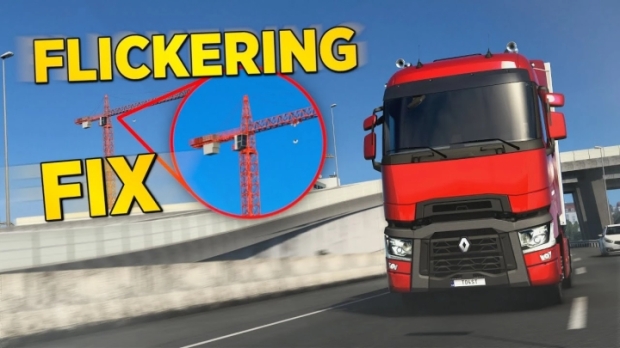
ETS2 - New Temporal Anti Aliasing - No More Aliasing, Flickering V8.4.3
Changes v8.4.3
Added DLSS/DLAA
Added multithread support for TAA shader generation, game is not going to slow down when you see a new type of object
TAA is a method used by modern games to solve aliasing issues.
– Full implementation of TAA for ETS2/ATS
– It has low performance impact compared to any other anti aliasing solution.
– It is not an only postprocess TAA like you have in other apps which just blurs your screen.
TAA (Temporal Anti Aliasing) implemented with a .dll file to replace default anti aliasing method with TAA.
It is removing/recuding aliasing, flickering, shimmering with minimal performance impact.
You can get rid of aliasing problems with only 100% resolution scale in game. You can use left gpu power for higher graphic settings or anything you want.
Supported Versions:
ETS2: 1.49 – 1.48 – 1.47
ATS: 1.49 – 1.48
Installation:
1. Go to Euro Truck Simulator 2/American Truck Simulator folder
2. Go to “bin\win_x64” folder
3. Copy & paste dxgi.dll file
4. Start game with DirectX 11
5. Disable any other anti aliasing (SMAA, MSAA, Nvidia Profile Inspector (NPI))
Settings:
Press “HOME” or “CTRL+P” keys to open menu ingame
Rate = TAA apply rate (9 default and recommended)
Sharpness = Sharpen filter rate
T. SSAO = Anti flickering solution for inbuilt SSAO feature (use with ingame SSAO)
T. Shadow = Anti flickering solution for inbuilt shadow feature
***You can use this method for any other project uses dxgi.dll.
Create a folder named “reshade” inside “bin\win_x64\” folder.
Copy reshade files (dxgi.dll, ReShade.ini, ReShadePreset.ini, reshade-shaders) to “bin\win_x64\reshade\” folder.
Put TAA dxgi.dll to “bin\win_x64\” folder.
Now you can play the game with TAA and ReShade.
***When reshade is activated, you need to use “END” key for TAA instead of “HOME” key.
Test Version
Latest test version of TAA application. To use DLSS with NVIDIA GPUs, put “nvngx_dlss.dll” file to “bin\win_x64” folder. If you already downloaded “nvngx_dlss.dll” file, you don’t need to download with DLSS again.
Authors: Snowymoon
 Uploaded by